
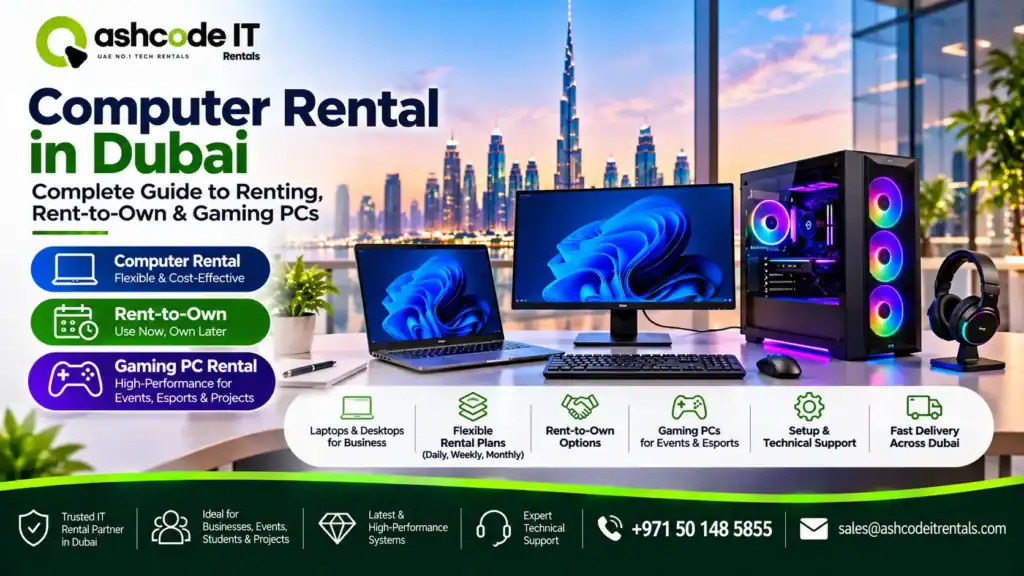
Quick answer: Computer rental in Dubai allows individuals and businesses to use laptops, desktop computers, workstations and gaming PCs for a fixed period without paying the full purchase price upfront. Rental plans may be available daily, weekly or monthly, depending on the provider. If you prefer to own the computer eventually, ask about a genuine rent-to-own or buyout agreement. For gaming, always check the processor, graphics card, RAM, storage and monitor requirements before choosing a plan.
Do you need a computer for a new business, temporary project, gaming setup or personal use? Buying a new computer may not always be the most practical choice, particularly when you need it for a limited period or want to manage your initial expenses.
This is where computer rental in Dubai can help. Instead of making a large upfront investment, you can choose a device that matches your requirements and pay according to the agreed rental period.
But what if you want to own the computer after making monthly payments? Can you rent a gaming PC instead of buying one? And what should you check before signing an agreement?
This guide explains how computer rentals work in Dubai, the difference between renting and rent-to-own, available computer types, gaming PC requirements and the factors to consider before choosing a provider.
What Is Computer Rental in Dubai and How Does It Work?
Computer rental is a service that allows you to use a laptop, desktop or workstation for an agreed period in exchange for a rental fee. The rental provider generally retains ownership of the equipment, and you return it when the agreement ends unless another arrangement is specified.
The process is usually straightforward:
Choose your computer: Decide whether you need a laptop, desktop, workstation or gaming PC.
Select the configuration: Choose the processor, RAM, storage, graphics card and accessories according to your work.
Select the rental period: Ask about daily, weekly, monthly or longer-term plans.
Confirm the agreement: Review the rental fee, security deposit, included services and return conditions.
Receive and set up the device: Depending on the provider, delivery, software configuration and installation may be available.
Return or extend the rental: At the end of the agreement, return the equipment or request an extension.
With computer rental in Dubai, the advantage is flexibility. You do not need to purchase a computer that might become unnecessary once a project or temporary requirement is completed.
Who Should Consider Renting a Computer in Dubai?
Computer rentals are useful for more than just large companies. Different users can benefit depending on how long they need a device and what they plan to do with it.
1. Businesses and corporate offices
Businesses sometimes need additional computers when hiring temporary employees, opening a new department or handling a short-term project.
Instead of purchasing several machines immediately, companies can arrange computer rentals based on their workforce requirements.
Common business applications include:
Temporary office setups.
New employee onboarding.
Corporate training sessions.
Data entry and administrative work.
Software development projects.
Accounting and business operations.
Temporary branches and remote teams.
A suitable computer rental in Dubai arrangement can help businesses scale their equipment requirements without making a large upfront hardware investment.
2. Startups and small businesses
Startups often need to control their initial expenses while building their operations. Purchasing computers for every employee can put pressure on the initial budget.
Renting allows a startup to equip its team while keeping more capital available for marketing, hiring, product development and daily operations.
It is also useful when a business is testing a new team structure before committing to permanent equipment purchases.
3. Students and freelancers
Students may need computers for assignments, online classes, coding, graphic design and project submissions. Freelancers may require more powerful systems for video editing, programming or creative work.
A temporary rental can be useful when the requirement is limited to a course, examination period, client project or particular assignment.
4. Gamers and content creators
Gamers may want access to a high-performance PC without immediately purchasing an expensive gaming setup. Content creators can also require powerful systems for editing, rendering, streaming and graphic design.
For these users, computer rental in Dubai can provide temporary access to suitable hardware while they evaluate their requirements.
What Types of Computers Can You Rent?
The right computer depends on your workload. A basic office desktop will not necessarily be suitable for 3D rendering or modern gaming.
| Computer type | Best suited for | Important specifications |
|---|---|---|
| Business desktop | Office applications and administration | Core i5/Ryzen 5, 16GB RAM and SSD |
| High-performance desktop | Development and demanding applications | Core i7/Ryzen 7, 16–32GB RAM |
| Gaming PC | Modern games and competitive gaming | Dedicated GPU, capable CPU and sufficient RAM |
| Workstation PC | CAD, 3D design and rendering | Professional-grade CPU, GPU and memory |
| All-in-one computer | Reception desks and compact offices | Suitable processor, RAM and integrated display |
Before confirming computer rental in Dubai, explain what applications you will run. The provider can then recommend a configuration that matches your workload instead of offering a computer that is either underpowered or unnecessarily expensive.
What Is the Difference Between Computer Rental and Rent-to-Own?
This is an important distinction, especially if you are searching for rent to own computers in Dubai.
Although both arrangements can involve monthly payments, they do not necessarily give you the same ownership rights.
| Factor | Standard computer rental | Rent-to-own arrangement |
|---|---|---|
| Monthly payment | Rental fee | Agreed instalment or payment |
| Ownership during agreement | Usually remains with provider | Depends on the contract |
| End of agreement | Return or extend the rental | Ownership may transfer after completing the stated conditions |
| Device selection | Depends on rental stock | Depends on the purchase or finance agreement |
| Long-term cost | Based on rental duration | Based on total agreed payments and fees |
| Best suited for | Temporary and flexible requirements | People planning to own the device |
How Do Rent-to-Own Computers in Dubai Work?
With a genuine rent-to-own arrangement, you make agreed payments over a specified period, and ownership transfers when the conditions in the contract have been fulfilled.
However, do not assume that every monthly computer rental includes an ownership option. Some providers offer only rental services, while others may have separate leasing, financing or buyout arrangements.
Before agreeing to rent to own computers in Dubai, ask these questions:
Is ownership automatically transferred after the final payment?
Is an initial deposit required?
What is the total amount payable over the complete term?
Are there additional processing or administration fees?
Can you purchase the computer before the agreement ends?
What happens if you miss a payment?
Who is responsible for maintenance and repairs?
Can you return the device before completing the agreement?
Most importantly, request the complete payment schedule and ownership-transfer conditions in writing.
A monthly payment that looks affordable may not represent the best overall value if the final ownership cost is high.
Gaming PC Rent-to-Own in Dubai: Is It Worth Considering?
Gaming computers can be expensive, particularly when you need a dedicated graphics card, a powerful processor, sufficient RAM and a high-refresh-rate monitor.
For someone who wants to play demanding games but does not want to pay the entire purchase price upfront, gaming pc rent to own in dubai may sound attractive.
However, availability and terms depend on the individual provider. Confirm that the arrangement is genuinely rent-to-own rather than a standard gaming PC rental.
What Specifications Should You Check?
Before selecting a gaming computer, look beyond its appearance and advertised gaming performance.
1. Processor (CPU)
The processor handles game logic, background applications and other computing tasks. A modern Intel Core i5/i7 or AMD Ryzen 5/7-class processor can suit different gaming requirements, depending on the specific generation and model.
2. Graphics card (GPU)
The graphics card is one of the most important components for gaming. Check the exact NVIDIA GeForce RTX or AMD Radeon model, available video memory and performance at your preferred resolution.
3. RAM
16GB RAM can be a practical starting point for many gaming setups. A 32GB configuration may be more suitable for demanding games, multitasking, streaming and content creation.
4. Storage
An SSD helps games and applications load faster. Consider 1TB storage when you expect to install several large games and applications.
5. Monitor and accessories
A powerful gaming PC will not provide the complete experience without a suitable monitor and accessories. Ask whether the package includes:
Gaming monitor and refresh rate.
Mechanical or gaming keyboard.
Gaming mouse.
Headset or speakers.
Suitable power and display cables.
Operating system and required software.
For gaming pc rent to own in dubai, also compare the total cost of the complete setup rather than focusing only on the computer tower.
Is Gaming PC Rental Better Than Buying?
Renting can make sense when you need a gaming PC for a short period, an esports event, a gaming tournament or testing a particular configuration.
Buying may be more suitable when you plan to use the same system regularly for several years and want full control over upgrades.
Rent-to-own can sit between the two options, but only when the provider offers clear ownership-transfer terms and the total cost makes financial sense.
How Much Does Computer Rental in Dubai Cost?
There is no single price for every computer rental. The amount depends on the hardware, rental duration, quantity and services included.
The following factors influence your quotation:
Processor and performance: Higher-performance computers generally cost more to rent.
RAM and storage: Larger memory and storage configurations can affect pricing.
Graphics card: Dedicated gaming and workstation GPUs can increase the rental cost.
Rental duration: Daily, weekly and monthly rates may differ considerably.
Quantity: Businesses renting multiple computers may be able to request a customised quotation.
Accessories: Monitors, keyboards, mice and other peripherals may be charged separately.
Delivery and setup: Installation, configuration and technical support may affect the total price.
When comparing computer rental in Dubai prices, ask for a complete quotation rather than comparing only the advertised daily or monthly amount.
Check whether VAT, security deposits, delivery, installation, maintenance and collection are included. For rent-to-own arrangements, compare the full payment amount and not just the monthly instalment.
What Should You Check Before Renting a Computer?
A low rental price does not always mean you are getting the best arrangement. The computer should be suitable for your work, and the provider should clearly explain the terms.
Use this checklist before confirming your booking:
1. Check the hardware specifications
Ask for the exact processor generation, RAM capacity, SSD size, graphics card model and monitor specifications.
2. Confirm the rental period
Check the minimum rental duration, renewal options, extension charges and return date.
3. Ask about software and licensing
Confirm which operating system and applications are installed. Make sure any software needed for your work has the appropriate licence.
4. Review technical support
Ask how hardware failures will be handled and whether repair or replacement support is included.
5. Confirm delivery and installation
For business requirements, check whether the provider can deliver, configure and test all computers at your location.
6. Understand the security deposit and damage policy
Ask how the deposit is collected and returned. Review the agreement’s conditions for accidental damage, loss and equipment replacement.
7. Protect your data
Before returning a computer, back up important files and sign out of personal or business accounts. Ask the provider how data is securely erased before the equipment is prepared for another customer.
These checks make computer rental in Dubai easier to manage, whether you need one device for personal use or multiple computers for an office.
Computer Rental vs Buying: Which Option Is Better?
The best decision depends on how long you need the computer and whether you want to own it.
| Your requirement | Suitable option |
|---|---|
| A computer for a few days or weeks | Short-term rental |
| Equipment for a temporary business project | Monthly rental |
| Multiple computers for an event or training | Bulk computer rental |
| A gaming PC for a short period | Gaming PC rental |
| A computer with the intention of owning it | Rent-to-own, if available |
| Long-term use with full ownership | Buying |
For businesses, rental can reduce the need to purchase equipment for temporary employees or projects. For individuals, rent-to-own may be worth comparing when ownership is an important goal.
Do the calculation using the full rental or instalment amount, the expected period of use and the future value of the computer. That gives you a more useful comparison than looking at the monthly payment alone.
Computer Rental vs Buying: Which Option Is Better?
The best decision depends on how long you need the computer and whether you want to own it.
| Your requirement | Suitable option |
|---|---|
| A computer for a few days or weeks | Short-term rental |
| Equipment for a temporary business project | Monthly rental |
| Multiple computers for an event or training | Bulk computer rental |
| A gaming PC for a short period | Gaming PC rental |
| A computer with the intention of owning it | Rent-to-own, if available |
| Long-term use with full ownership | Buying |
For businesses, rental can reduce the need to purchase equipment for temporary employees or projects. For individuals, rent-to-own may be worth comparing when ownership is an important goal.
Do the calculation using the full rental or instalment amount, the expected period of use and the future value of the computer. That gives you a more useful comparison than looking at the monthly payment alone.
Frequently Asked Questions
Many computer rental providers offer monthly rental arrangements, although minimum periods and available configurations vary. Confirm the monthly fee, deposit, delivery and support before booking.
Rent-to-own availability depends on the provider. Some companies focus on standard equipment rental, while other businesses may offer leasing, financing or buyout arrangements. Confirm the ownership-transfer conditions in writing before signing.
You should check directly with providers because gaming PC rental and rent-to-own are not the same arrangement. Ask whether the gaming computer can become yours after completing the agreed payments and review the total cost.
For regular office applications, web browsing, email and spreadsheets, a modern Core i5 or equivalent processor, 16GB RAM and SSD storage can be a practical configuration. More demanding software may require stronger specifications.
Yes, some rental providers support multiple desktop and laptop deployments for offices, training programmes, exhibitions and temporary projects. Ask about quantity-based quotations, standardised configurations and technical support.
It depends on the package. Desktop rental may include a monitor, keyboard, mouse and cables, but some providers charge separately for accessories. Confirm the complete equipment list before booking.
Find the Right Computer Rental Option in Dubai
Choosing a computer should start with understanding what you need it for. A basic office desktop, a high-performance workstation and a gaming PC require different configurations, and selecting the right specifications can help you avoid unnecessary costs.
Computer rental in Dubai is a flexible option for businesses, startups, students, freelancers and gamers who need access to suitable technology without immediately purchasing it.
If you are interested in ownership, compare rent to own computers in Dubai carefully and review the complete agreement. For gaming requirements, check whether gaming pc rent to own in dubai is available and whether the system includes the graphics performance and accessories you need.
For your next office setup, temporary project or gaming requirement, visit Ashcode IT Rentals to discuss your computer rental needs. Share your preferred specifications, quantity and rental duration to get a suitable equipment recommendation.

